
A place for every way you play.
One launcher for the worlds you keep coming back to. Organize your instances, discover community content, and make the details your own.
A library that stays yours.
Keep a long-running survival world, a modpack with friends, and your next experiment in their own spaces.
Bring your instances over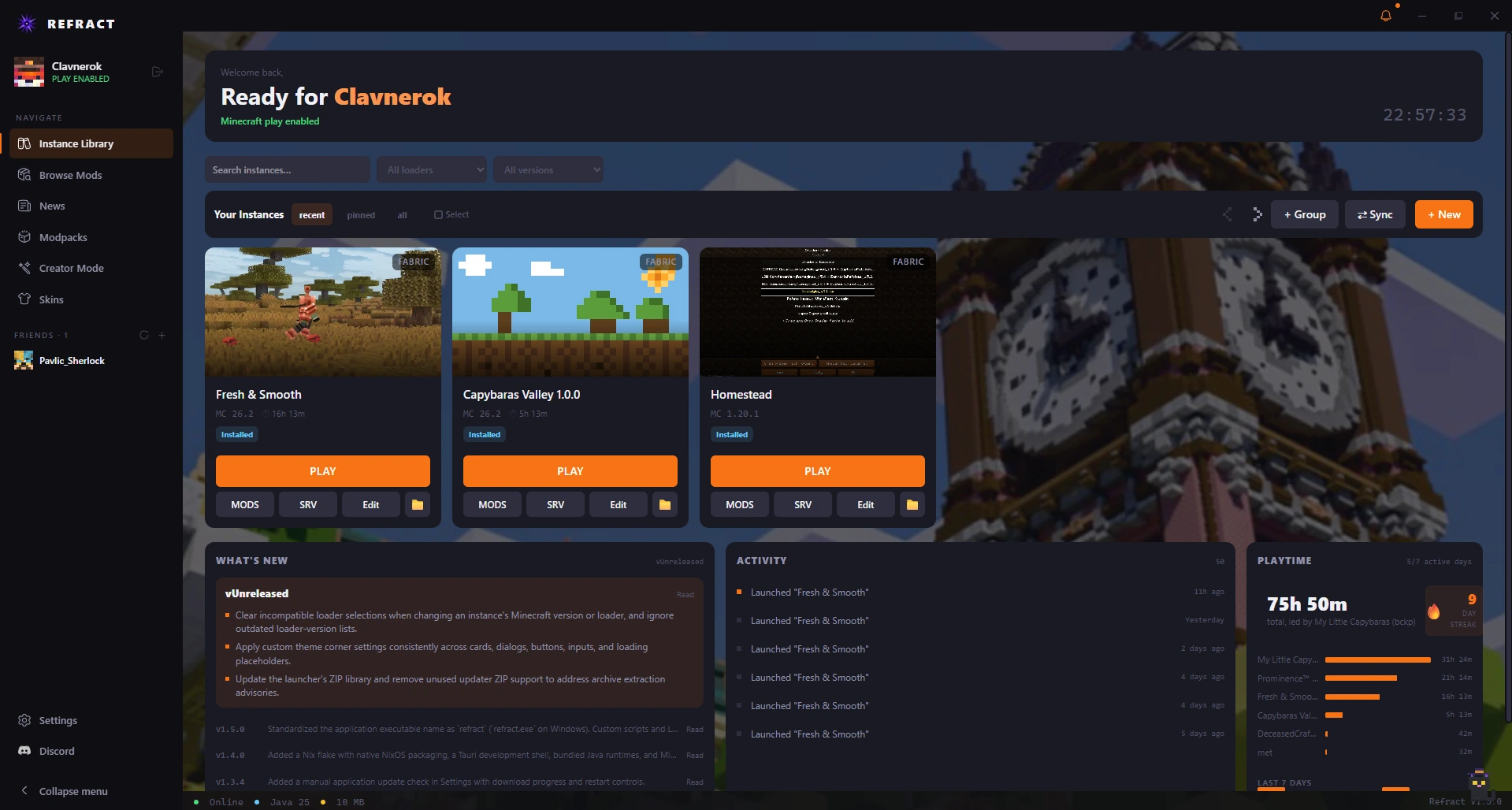
- Separate instances
- Give each setup its own Minecraft version, mods, worlds, options, and install location.
- Room to organize
- Group, pin, search, filter, duplicate, and export your instances. Keep the setups you use within reach.
- Bring your existing library
- Discover, link, or copy instances from Prism, MultiMC, Modrinth App, ATLauncher, CurseForge, and GDLauncher.
- Back up before a change
- Export worlds as ZIP backups and import supported instance archives or Modrinth .mrpack files.
Pick the way you play.
Start with Vanilla or choose the loader your mods need. Compatibility stays attached to each instance.
Create your first instance- Vanilla and modded
- Create instances with Fabric, Forge, NeoForge, or Quilt, alongside unmodified Minecraft Java Edition.
- Version-aware setup
- Choose a Minecraft release and a compatible loader version, then let Refract handle installation.
Find your next addition.
Browse community projects and manage the content already in your instances, all from the launcher.
Understand content installation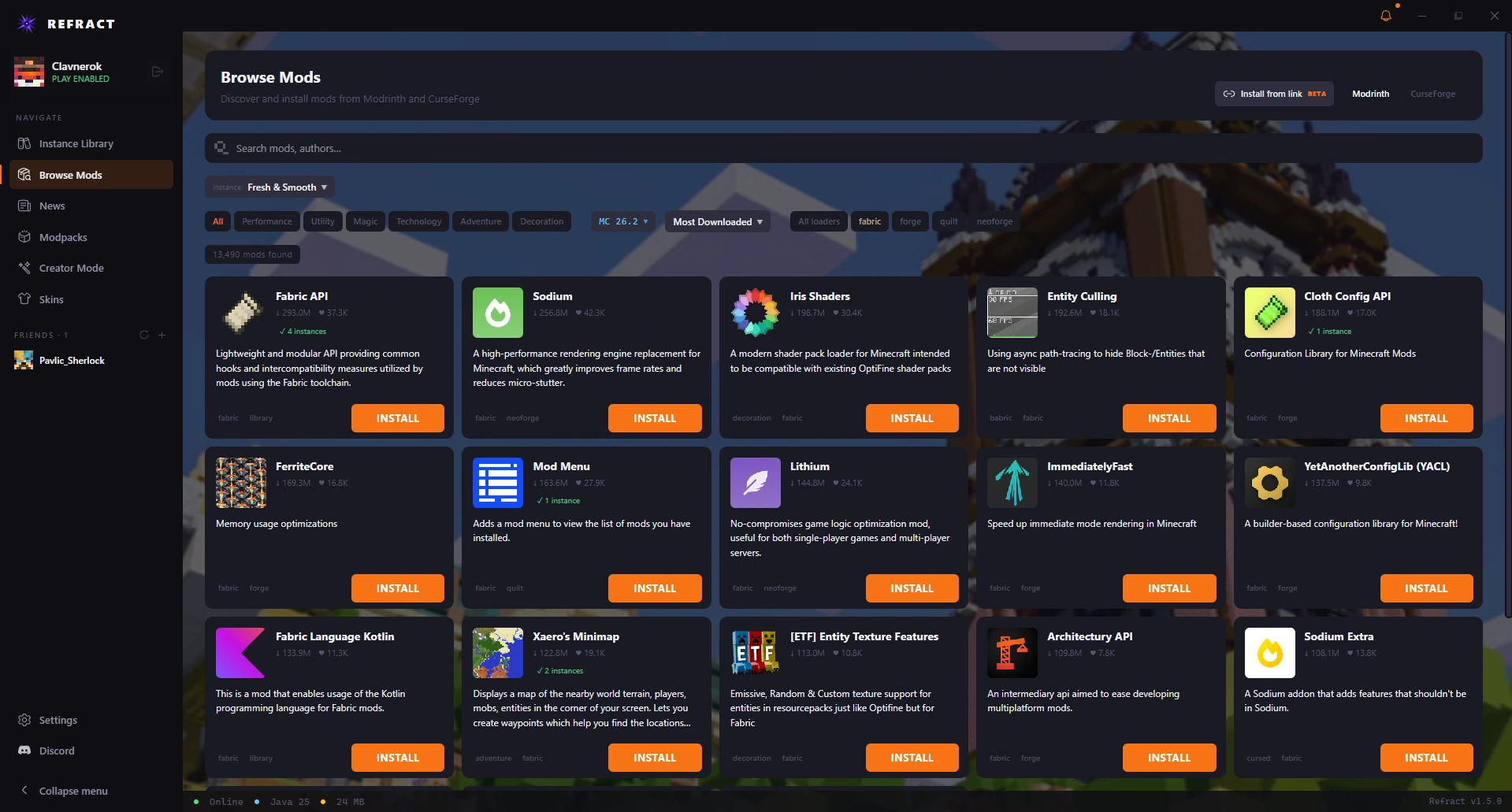
- Mods and more
- Find mods, modpacks, resource packs, shaders, and datapacks through Modrinth and CurseForge. FTB packs are supported too.
- Keep content manageable
- Review compatibility, resolve required dependencies, enable or disable content, check updates, and save mod profiles.
- CurseForge access
- CurseForge requires an API key, either supplied by the build or configured in Settings. Some authors require a manual browser download.
Your account, ready to play.
Choose the account you want to launch with and manage its session from one place.
Set up an account- Account choices
- Sign in with Microsoft, add an offline profile, or configure a Yggdrasil account. Normal authenticated play requires a Minecraft Java Edition license.
- Skins and sessions
- Manage a local skin library, preview classic or slim models, and apply skins to supported Microsoft accounts.
The right runtime for the job.
Different Minecraft releases need different Java versions. Refract handles runtime discovery and managed downloads.
Learn about Java and memory- Automatic Java selection
- Use detected or managed Java runtimes based on the game and loader requirements, with support for modern and older releases.
- Control when you need it
- Register a custom Java executable and adjust memory, JVM arguments, and launch behavior for your setup.
Make yourself at home.
Adjust the launcher to fit your desktop, your language, and the way you like to work.
Read common questions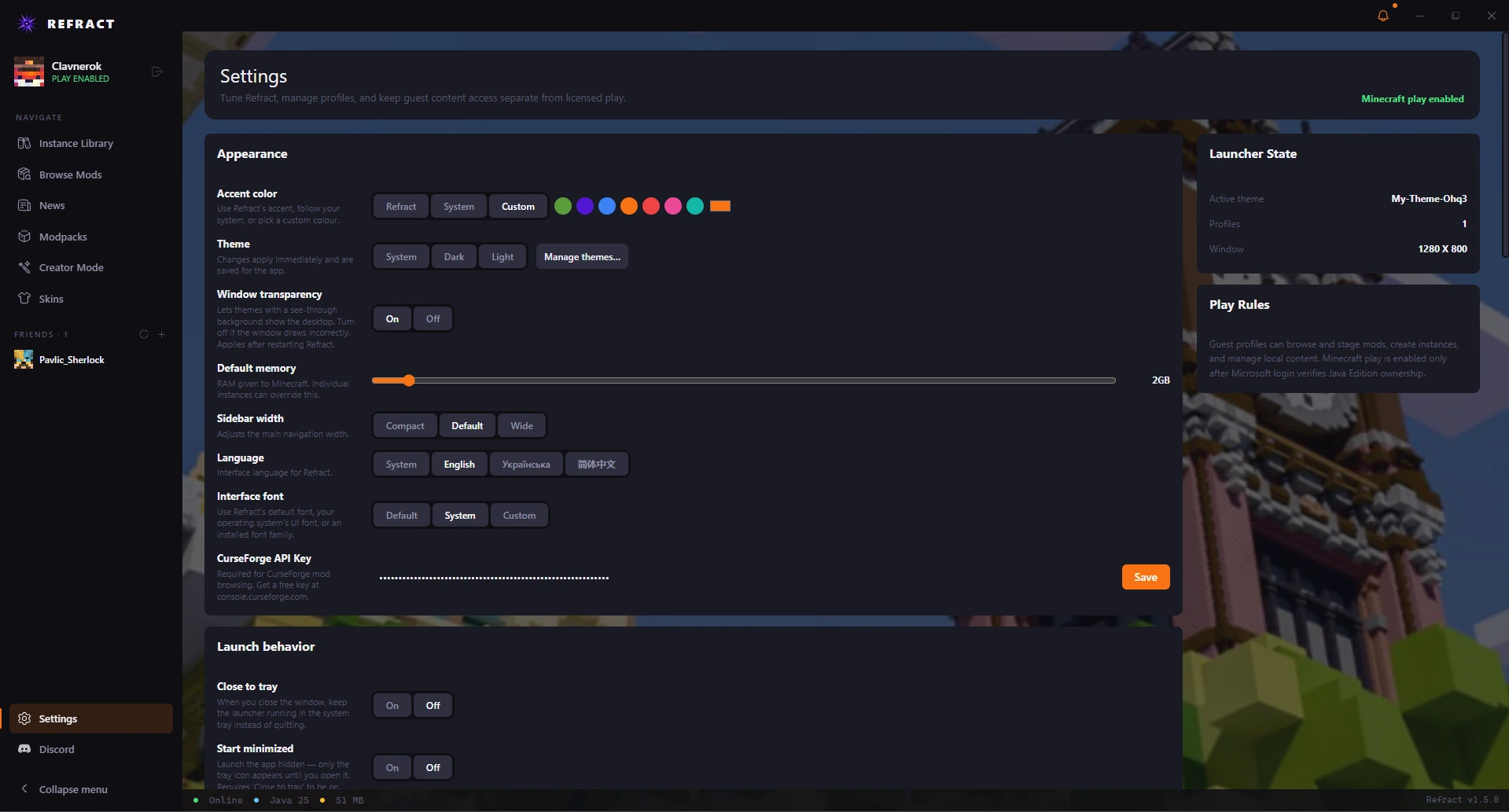
- Themes and layout
- Choose light or dark themes, tune the accent color, and customize the launcher layout. Theme import and export keep your styling portable.
- Everyday preferences
- Control launch and window behavior, select a language, and choose whether to enable Discord Rich Presence.
- Privacy controls
- Review the analytics setting in the launcher. Builds with analytics configured offer an opt-out in Settings.
Back to the world you left.
Keep the practical tools close to your instances, from saved worlds to a favorite server.
Look after your worlds- Worlds and screenshots
- Browse instance worlds and screenshots, create world backups, and keep your local game data in context.
- Servers and Quick Play
- Check saved server status and use Quick Play to open a supported world or server directly. Desktop shortcuts can launch a chosen target.
- Useful diagnostics
- Inspect launch logs, copy crash reports, and track playtime when a session ends.
Feature descriptions are based on the official project README and launcher documentation. Availability can vary by version and content provider.